How to Build a Monthly Bill Calendar That Actually Works
A monthly bill calendar works when every bill, subscription, paycheck, and planned payment is tied to the date it affects.
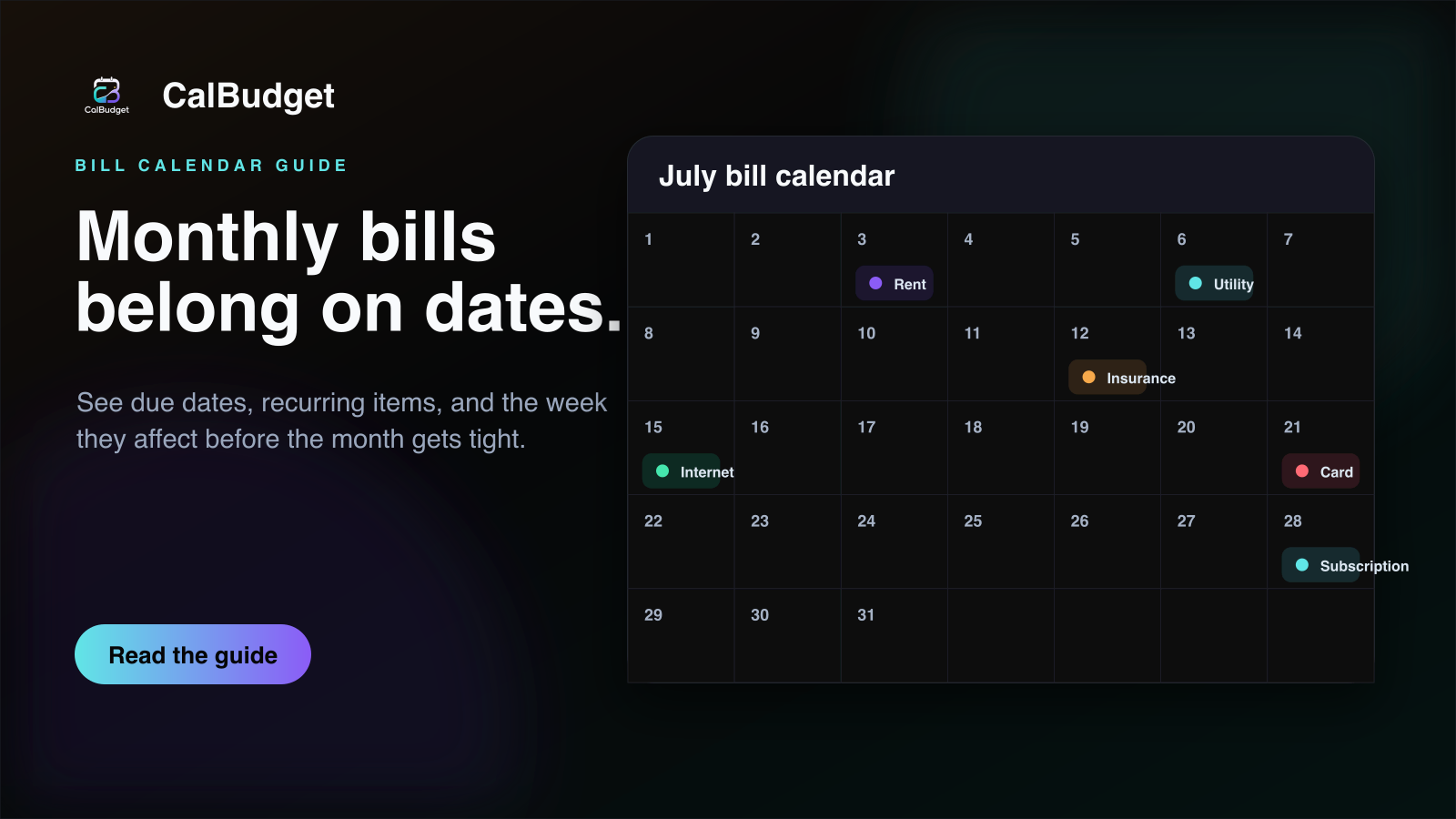
A monthly bill calendar is useful because bills do not just have amounts. They have dates. Rent on the first, insurance on the twelfth, a card payment on the twenty-first, and a subscription at the end of the month can all be reasonable on their own. The stress starts when several of them land before the next paycheck or when a forgotten recurring charge clears during an already tight week.
That is why a bill calendar app should do more than remind you that something exists. It should show the shape of the month. When every bill, subscription, paycheck, transfer, and planned purchase sits on a date, you can scan the next two weeks and understand what the month is asking from your account before the transactions post.
If a payment can affect your balance, it belongs on the calendar. If the date is uncertain, place it on the most conservative date and adjust later.
Start with the bills that do not move
The fastest way to build a monthly bill calendar is to start with fixed obligations. Add rent or mortgage, utilities, insurance, phone, internet, car payments, credit card minimums, loans, memberships, and any required transfers. These are the dates that create the bones of the month. You can adjust flexible spending later, but fixed bills should go in first because they define the pressure points.
Do not average these bills into one monthly number while you are building the calendar. A $200 payment on the second of the month feels different from the same payment on the twenty-eighth. The amount matters, but the due date tells you whether the payment collides with other bills or lands after income has cleared.
Add recurring bills and subscriptions as their own calendar items
Recurring charges are easy to miss because they usually feel small. Streaming, cloud storage, fitness apps, software, school accounts, toll passes, delivery memberships, and annual renewals often hide in transaction history until they post again. A recurring bill calendar turns those charges into visible dates. Even if you keep every subscription, the point is to stop being surprised by the timing.
- Use monthly repeats for bills that clear on the same day each month.
- Use weekly or biweekly repeats for routines like groceries, transit, childcare, or allowance transfers.
- Use annual repeats for renewals that are easy to forget until the card is charged.
- Add an end date when the payment is temporary, such as a short installment plan or a trial you plan to cancel.
Put paychecks on the same calendar
A bill due date calendar becomes much more useful when income is visible too. The question is rarely whether the whole month has enough money in theory. The real question is whether the bills due before the next paycheck can clear comfortably. Put expected paychecks on their actual dates, then look at the window between one paycheck and the next.
If income is variable, use the date you can reasonably rely on instead of the date you hope for. A conservative paycheck date gives the forecast a little room to be wrong. When money arrives earlier, the calendar gets easier. When it arrives later, the calendar has already been honest.
Bill Calendar
See how CalBudget puts every due date, subscription, and paycheck on one calendar with a projected balance for each day.
Look for bill clusters, not just big bills
The hardest weeks are not always caused by one large payment. They often happen because five normal payments stack together. A utility bill, groceries, a subscription, a card payment, and a school cost can create more pressure than one obvious bill because each one looks harmless by itself.
Once your fixed and recurring items are on the calendar, scan each week for clusters. If too many payments land together, decide what can move. Some due dates can be changed with the provider. Some planned purchases can wait a few days. Some subscriptions can be paused or canceled. The calendar does not make the decision for you, but it makes the timing visible enough to choose on purpose.
Move one flexible item and check the forecast again. If the tight week becomes workable, stop there. A bill calendar is most useful when it helps you make one practical change at a time.
Keep categories, but do not let categories hide dates
Categories still matter. Groceries, housing, utilities, subscriptions, debt, transfers, and personal spending all need labels if you want clean reports. But a category total can hide the week that causes the problem. A monthly grocery total may look fine while one grocery trip lands right before rent. A subscriptions category may look small while three renewals clear in the same paycheck window.
The strongest setup uses both: categories for understanding what the money is for, and dates for understanding when the money moves. CalBudget is designed around that combination. You can scan the calendar for timing, then use reports and categories to understand the pattern behind the month.
Review the next 14 days every week
A bill calendar gets better when you review it before the month forces your hand. Once a week, look at the next fourteen days. Confirm bills, update amounts that changed, add anything you forgot, and check the lowest projected balance. This review should be short. The goal is not to rebuild the budget. The goal is to catch one timing problem while it is still small.
- Open the current month and scan the next two weeks.
- Check the next paycheck date and every bill before it.
- Update any estimates with real amounts.
- Move one flexible item if the low point is uncomfortable.
- Add notes for bills that changed so next month starts cleaner.
A bill calendar is not a prettier checklist. It is a timing system for the month you are actually living in.
Budget Calendar Template
Start from a ready-made budget calendar template to rough out your bill dates before entering them in the app.
How Running Balance Predicts Overdraft Risk Before It Happens
After your bills are on dates, use the running balance to understand which day needs attention first.
A 30-Day Action Plan for How to Build a Monthly Bill Calendar That Actually Works
Turn the advice in this guide into a 30-day experiment instead of a permanent rule you have to master immediately. During the first week, record the dates and amounts you already know: income, housing, utilities, debt minimums, subscriptions, transportation, groceries, and planned transfers. During the second week, compare those entries with what actually cleared. Correct the dates before changing the budget amounts. By the third week, the forecast should reflect your normal timing well enough to expose the one or two days that create the most pressure. Use the final week to make one repeatable adjustment and carry it into the next month.
This phased approach matters for monthly bill calendar because an accurate baseline is more useful than an ambitious first draft. A bill that usually clears two days early, a grocery trip that moves with payday, or a transfer that is recorded as income can distort the entire picture. Correcting those details gives you a forecast you can trust. Once the timing is reliable, decisions about bill calendar app, bill due date calendar, recurring bill calendar become easier because each choice has a visible effect on the days that follow.
Measure Progress With Decisions, Not Perfection
A useful budget does not need every transaction to match the plan exactly. It needs to reveal a problem while the problem is still small. Track three signals: the lowest projected balance before the next paycheck, the number of expenses that arrived without a calendar entry, and the size of the difference between planned and actual flexible spending. Those measurements answer practical questions. Is the buffer growing? Are surprise transactions becoming less common? Is the forecast becoming more accurate from one week to the next? Progress in those areas is more durable than finishing one month with perfectly organized categories.
- Check the next two paychecks and every obligation scheduled between them.
- Compare the projected low point with a personal comfort floor, not merely zero dollars.
- Correct an inaccurate date as soon as a transaction clears earlier or later than expected.
- Make one adjustment at a time, then confirm that it improves the forecast before changing anything else.
Choose a comfort floor that reflects the way the account is used. Someone with a separate emergency fund may be comfortable with a smaller checking cushion. A household with variable income, automatic withdrawals, or frequent transportation costs may need more room. The number is not a moral score and it does not need to match anyone else's recommendation. It is simply the point where a normal surprise would force a transfer, a delayed bill, or an overdraft. Keeping the projected balance above that floor turns the calendar into an early-warning system rather than a record of what already happened.
Make the Plan Resilient to Real Life
Build a small amount of uncertainty into the forecast. Use the earliest reasonable date for withdrawals and the latest reasonable date for deposits. Round flexible expenses up when the exact amount is unknown. Add placeholders for irregular costs as soon as you learn about them, even if the estimate will change. This conservative approach may make the first forecast look less comfortable, but it prevents the plan from depending on every event going perfectly. When the real amount is lower or income arrives early, the difference becomes breathing room instead of money that was already promised elsewhere.
If the forecast still falls below the comfort floor, work outward from the low day. Review the seven days before it and separate fixed obligations from flexible choices. Protect housing, utilities, transportation, food, insurance, and required minimum payments first. Then test the smallest available move: reschedule an optional purchase, reduce one flexible amount, pause a transfer, or ask whether a provider offers a better due date. The objective is not to erase all spending. It is to solve the timing conflict with the least disruption and preserve a plan you can repeat next month.
At the end of the month, ask which single decision made monthly bill calendar easier to follow. Keep that decision, remove any step that created work without improving the forecast, and use the updated dates as next month's starting point.
How to Set Up Your First Month in CalBudget
Connect this strategy to a dated running balance and make the next low-cash day visible before it arrives.
See CalBudget Features for Calendar-Based Planning
Review the calendar, recurring transaction, forecasting, and account tools used throughout this guide.
Frequently asked questions
What is a monthly bill calendar?
A monthly bill calendar is a date-based view of bills, subscriptions, paychecks, transfers, and planned payments so you can see when money is expected to move during the month.
Is a bill calendar better than a bill checklist?
A checklist can show what exists, but a bill calendar shows timing. Timing is what helps you see whether several bills land before the next paycheck.
What should I put on a bill calendar?
Start with fixed bills, subscriptions, debt payments, expected paychecks, transfers, rent or mortgage, utilities, insurance, groceries, and any large planned purchases.
Can I use CalBudget as a bill calendar app?
Yes. CalBudget is built around a calendar view for bills, subscriptions, income, planned spending, recurring transactions, and future running balances.
How often should I review my bill calendar?
Once a week, review the next fourteen days. Confirm due dates, update any estimated amounts, and check the lowest projected balance so a tight week is caught while it is still easy to fix.